

WHAT IS THE VIEWING ANGLES CALCULATOR?
DATA ENTRY
In order to create the report, the Viewing Angle Calculator needs some information about the project. Cinema Tools does not store or record any data that is entered into this form.
ID DETAILS

Project Name:
Enter the project name so that the report can be easily identified
Prepared By:
Enter the name of the person creating the report
Calculation Units:
Select the measurement units that will be used in the other form fields
PROJECT DATA
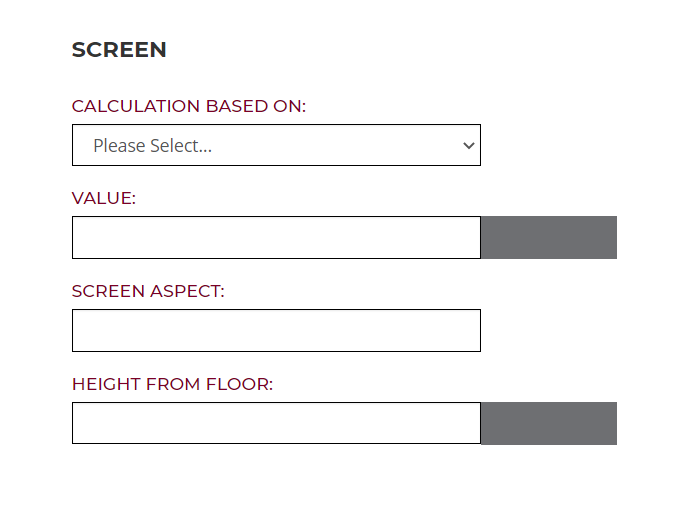
SCREEN
Calculation Based On:
Specify if the screen size value is the Width, Height or Diagonal dimension.
Value:
Enter the size of the screen dimension using the units selected for this calculator.
Screen Aspect:
Enter the Aspect Ratio of the screen. For example, 2.37, 1.78 etc.
Height From Floor:
Enter the distance from floor level to the bottom of the visible area of the screen. All height fields should be completed with reference to the same starting level.

SEATS
The calculator allows data for up to four rows to be entered. Where less than four rows are required, leave the unused fields blank and they will be ignored by the calculator.
The reference point for the viewing location should be the seated eye level.
Distance From Screen:
Enter the distance from the screen to the viewing location
Image Aspect:
This is a default value based on the native aspect of the selected projector model and can not be altered
Height From Floor:
Enter the distance from the floor to the viewing location. All height fields should be completed with reference to the same starting level.
DEFAULT DATA
NONE
REPORT CONTENT
Page 1 – Title Page

The Title page of the report is used to show:
Calculator Name: Viewing Angles
Project Name: As entered on the data entry page
Prepared By: As entered on the data entry page
Page 2 – Viewing Angles: Horizontal Angles

The Viewing Angles Horizontal Angles page of the report is used to show the horizontal viewing angle for the combination of screen size and seating distances specified.
Cinema Tools uses a proprietary algorithm which optimises the viewing angle to the screen sizes. This data is then presented in a number of different formats and for each specified row.
The calculator also delivers results for the minimum, recommend and maximum seating distances from the screen.
The right hand data bar details:
Screen Width in mm and inches
Screen Height in mm and inches
Screen Diagonal in mm and inches
Screen aspect ratio
Heigth from Floor in mm and inches
Minimum Distance from Screen in mm and inches
Recommended Distance from Screen in mm and inches
Maximum Distance from Screen in mm and inches
Actual Distance from Screen in mm and inches per seating row
Horizontal Viewing Angles in degrees
Actual Distance from Screen in number of screen heights
Page 3 – Viewing Angles: Vertical Angles
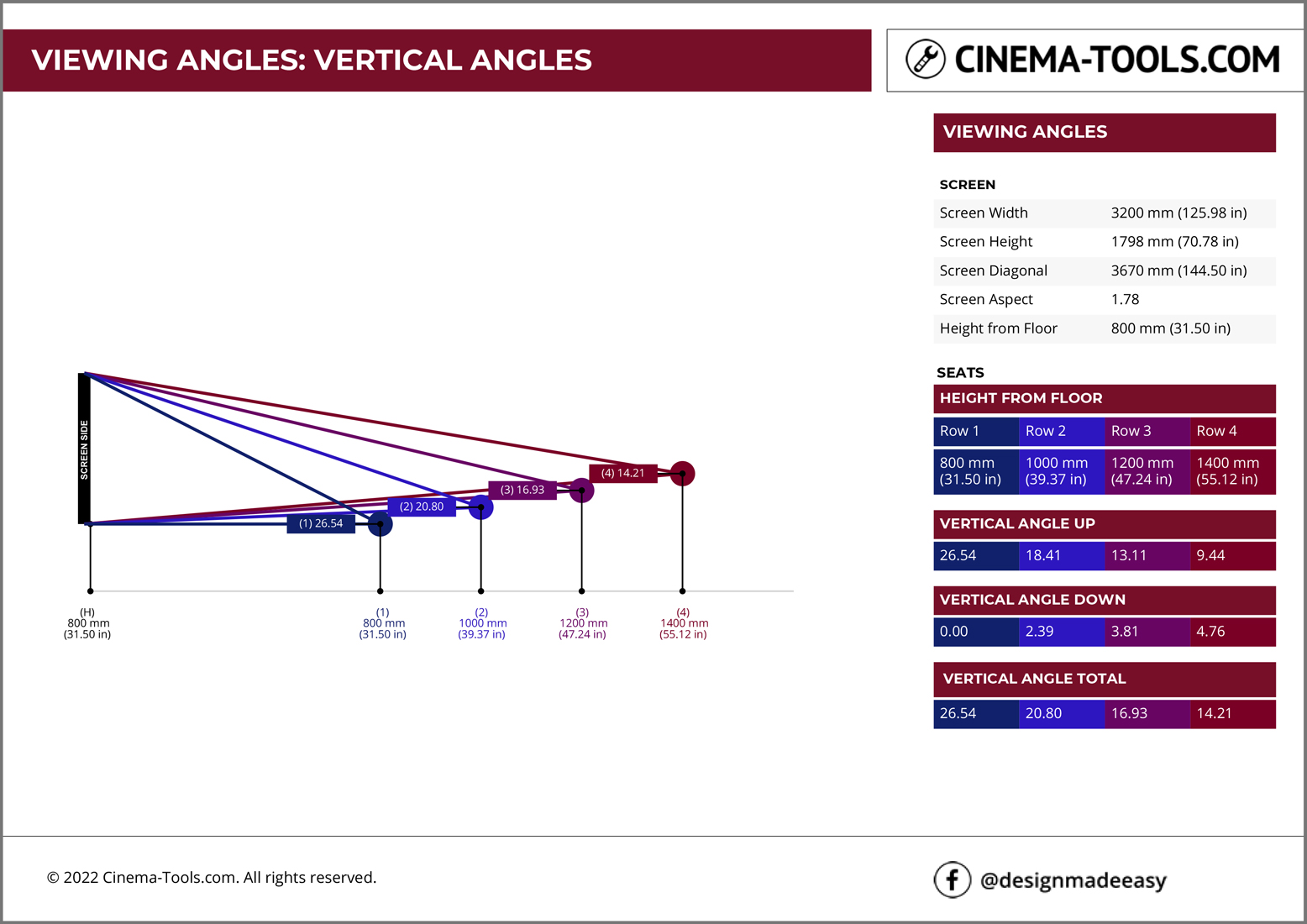
The Beam Size Top View page of the report is used to show the width of the projected image beam at the requested measurment points.
The right hand data bar details:
Screen Width in mm and inches
Screen Height in mm and inches
Screen Diagonal in mm and inches
Screen Aspect Ratio
Beam Height in mm and inches at Measuring Point in mm and inches
Page 4 – Closing Page

The closing page is used to highlight the Cinema Tools facebook page designmadeeasy

VIEWING ANGLES CALCULATOR IS A FREE TOOL